Building a scalable template system for K-12 school websites
Context
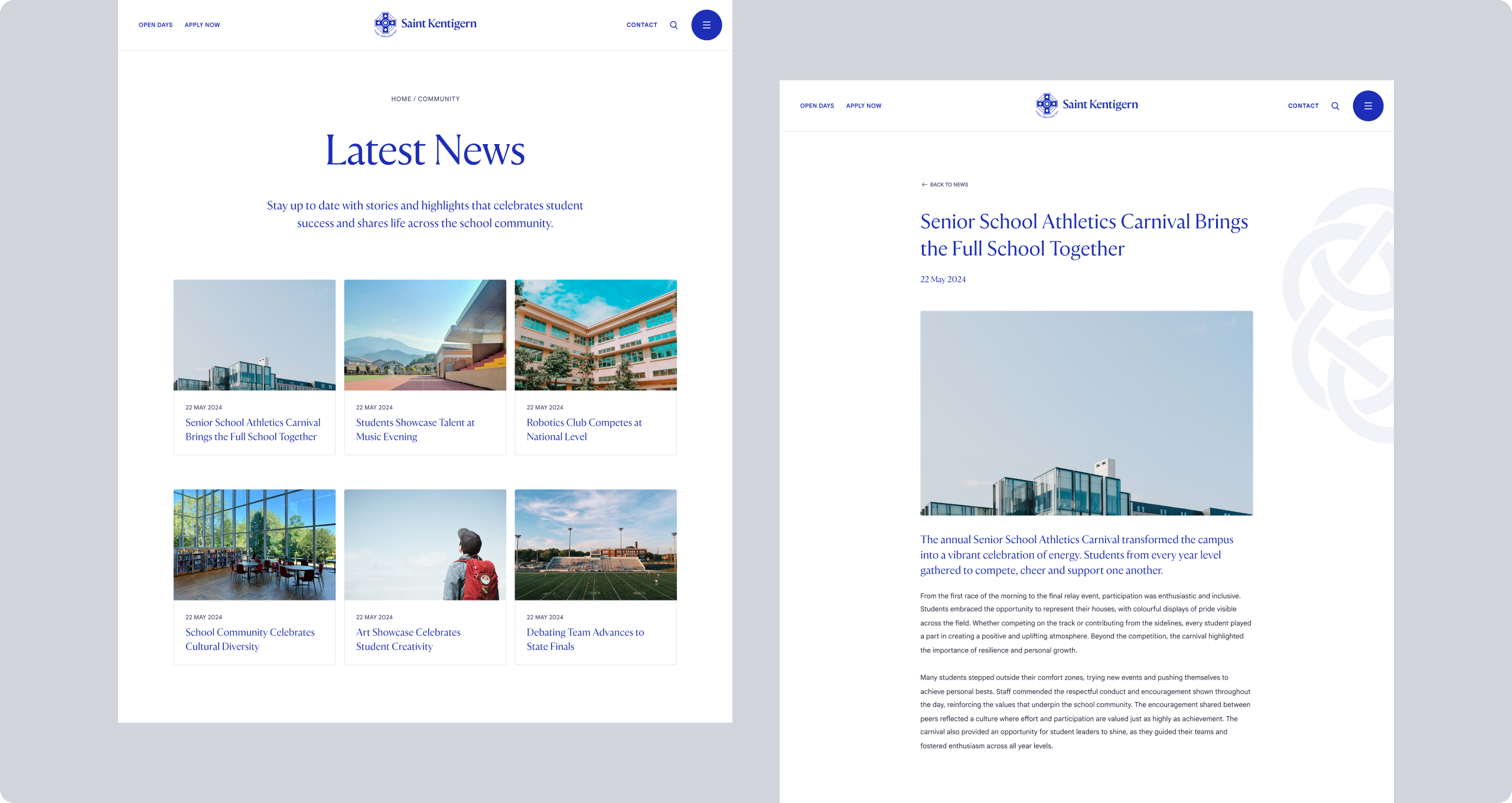
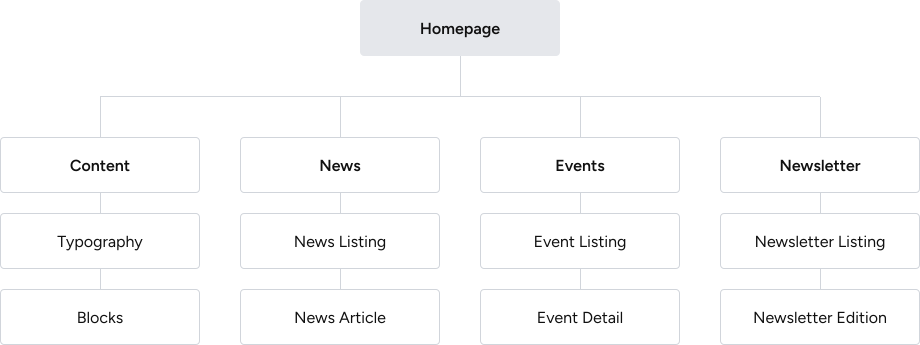
Every Digistorm school website includes core pages: News, Events, Newsletter. These pages are built and set up by Digistorm and managed by the school via CMS, and can be either template-based or fully customised. In reality, the existing templates were outdated and inconsistent, often failing to meet project requirements and leading teams to build pages from scratch multiple times. Without clear standards or documentation outlining scope and functionality, requirements were too broad, resulting in several versions of the same pages and an inefficient, costly process.
How might we create a scalable, user-friendly system that fits schools of different sizes and needs, reduces repetitive work, and provides a clear shared reference for internal teams?
Research
Internal teams were working from different assumptions
Stakeholder interviews revealed inconsistent expectations across Project Management, Customer Success, Sales, and Design team and different interpretations of what a page should include and how it should function.
The existing experience had evolved without a system
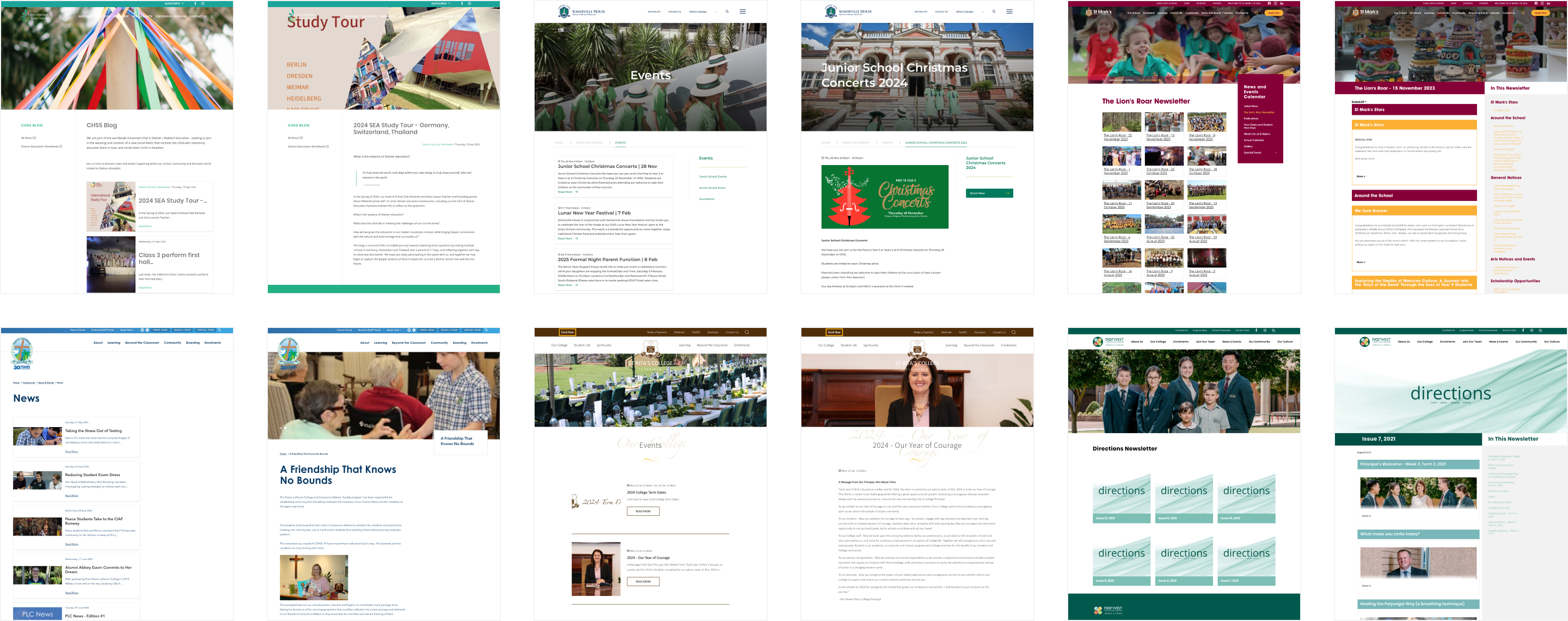
Auditing 50+ client websites surfaced recurring usability and accessibility issues. Pages serving the same purpose frequently looked and functioned differently across projects, with no shared pattern to build from.
Schools needed different levels of support
Interviews with school staff revealed a wide range of needs. Smaller schools often lacked dedicated web resources and preferred clear guidance and structure. Larger schools expected the flexibility to tailor content and presentation to their own context.
Key Interface Decisions
Designed a system, not a set of individual pages
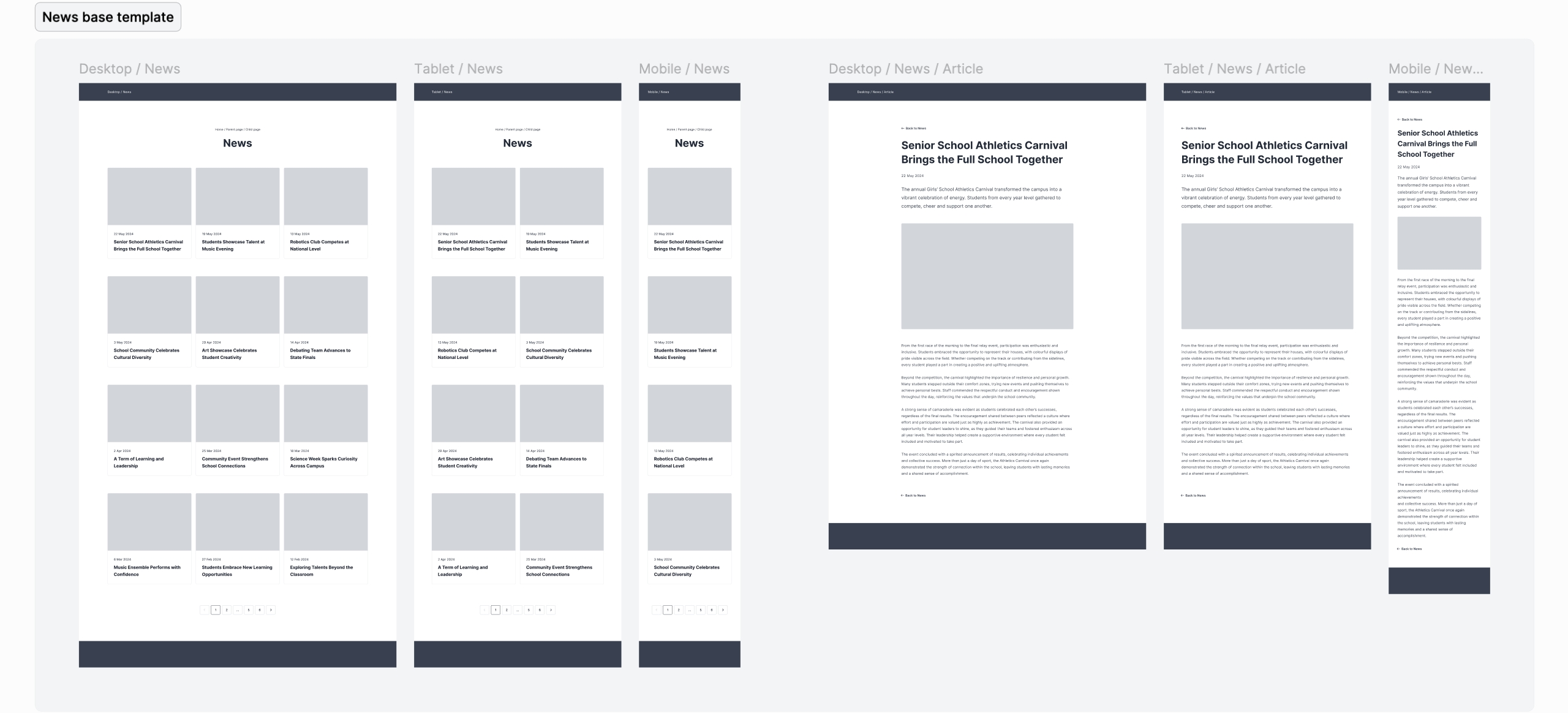
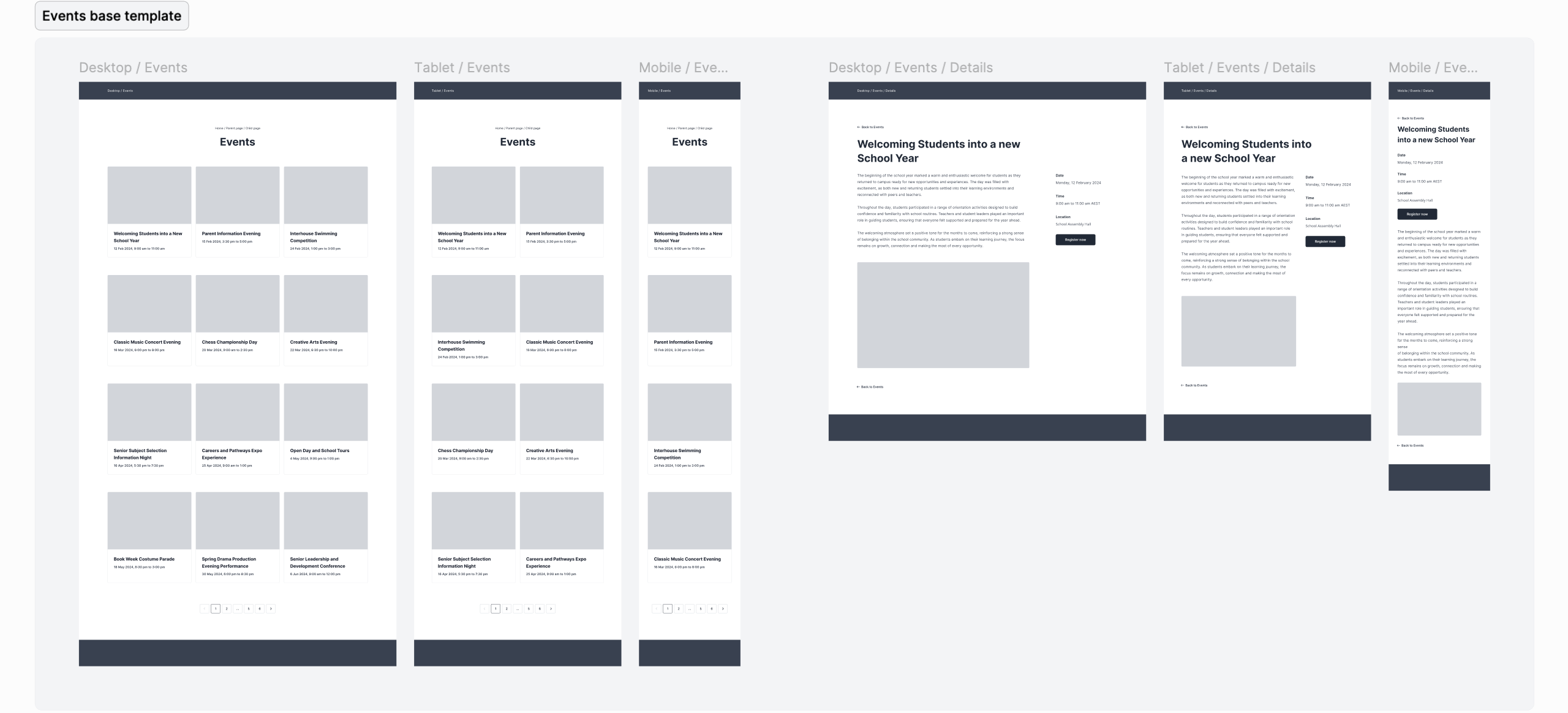
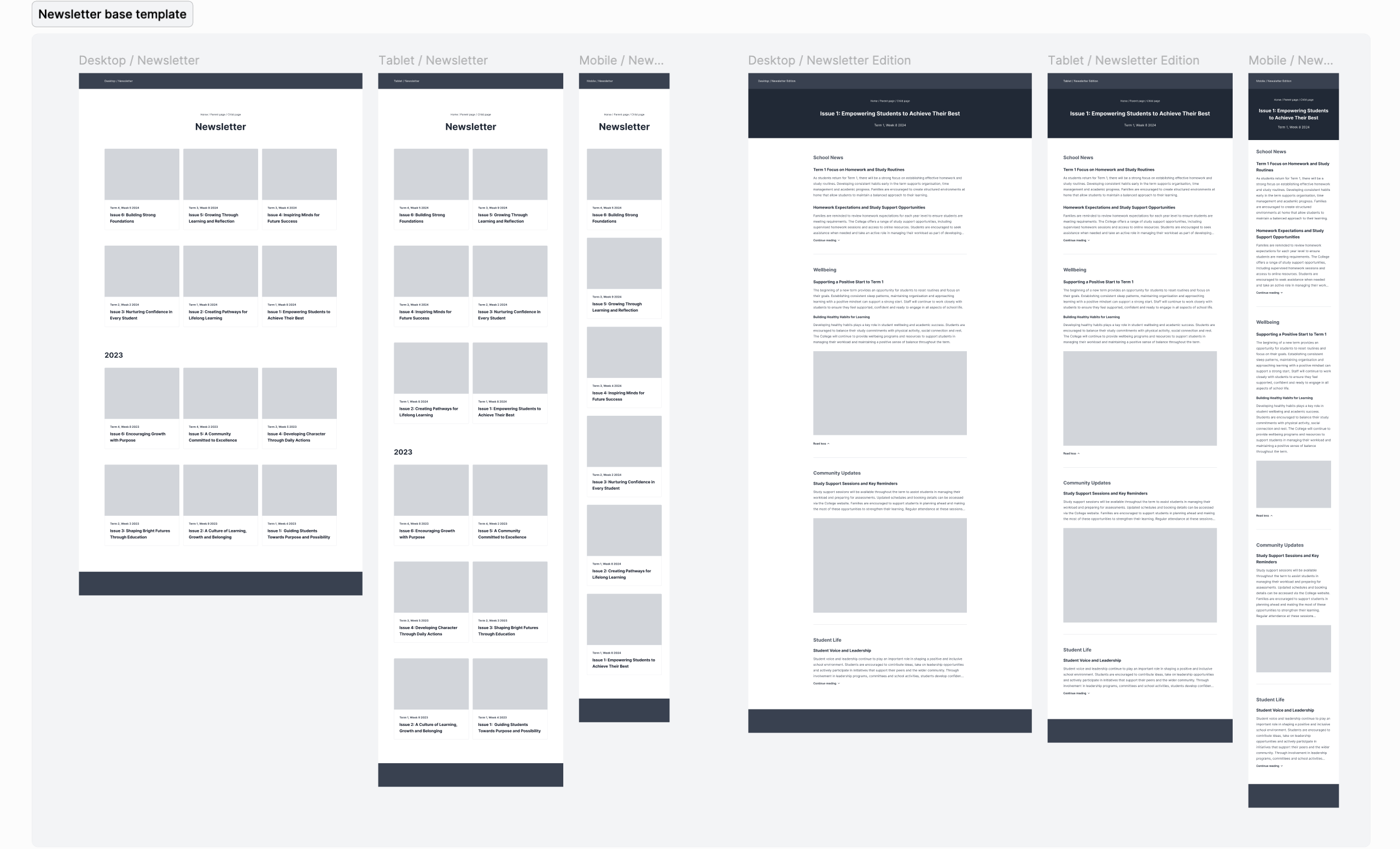
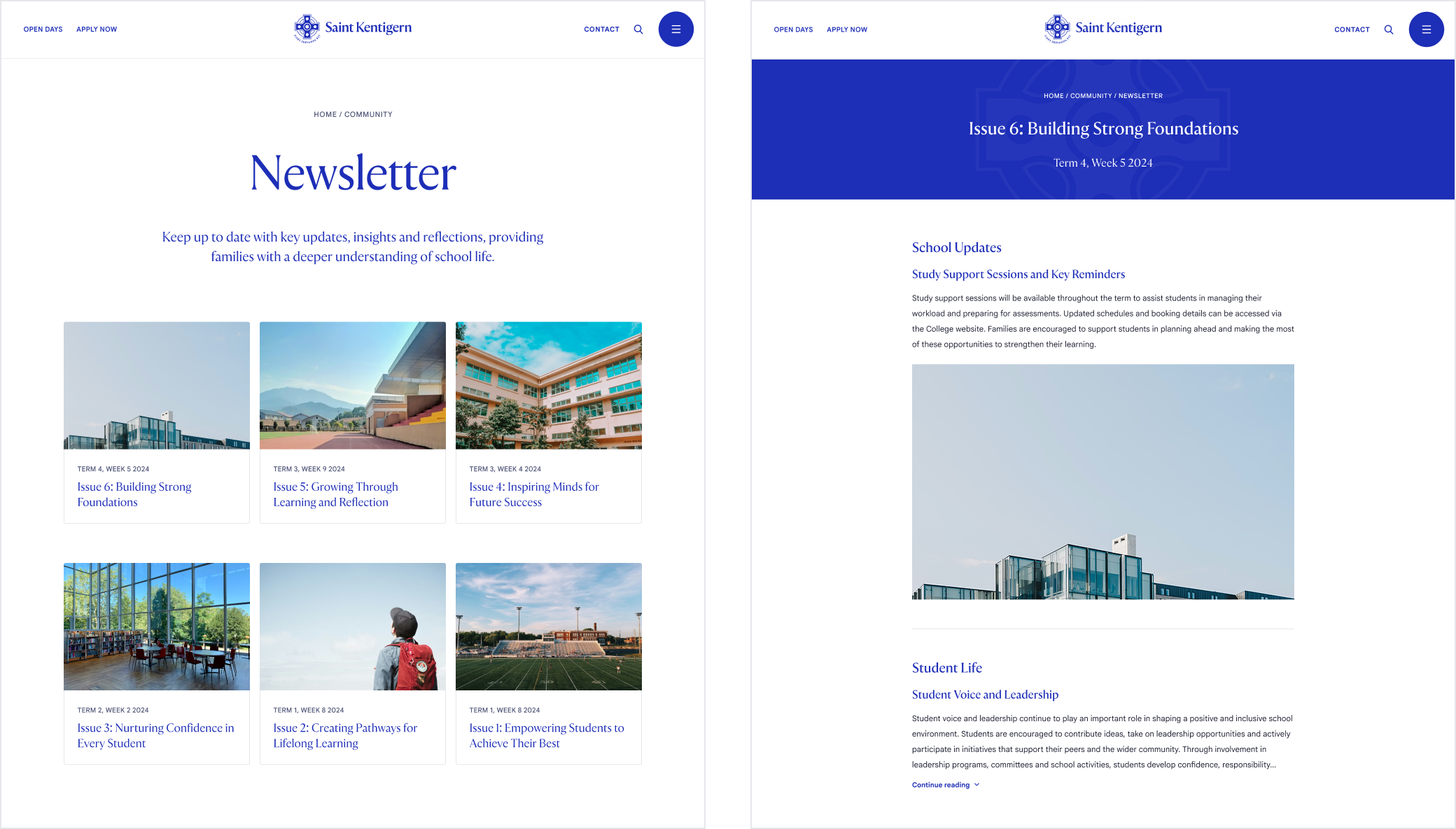
I created a scalable framework that could be applied consistently across News, Events, Newsletters, and future page types. The goal was to define reusable structure and design patterns, along with configurable variables that could be easily implemented across different page templates.
Balanced structure with flexibility
One of the central challenges was designing for schools with very different levels of confidence and resources. Templates provide a strong default structure while allowing the team to customise content, imagery, and presentation to align with the project scope.
Made content the primary focus
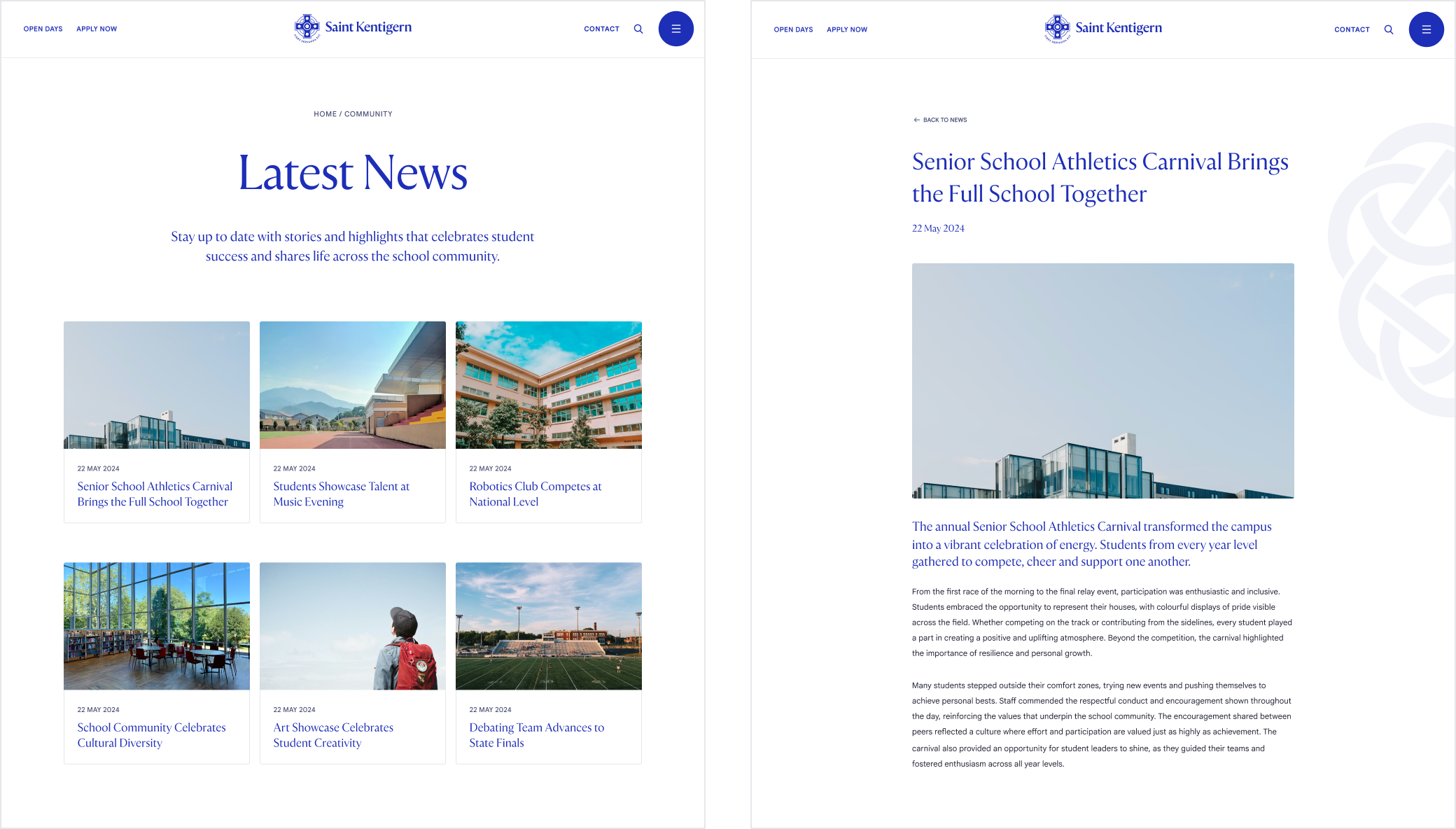
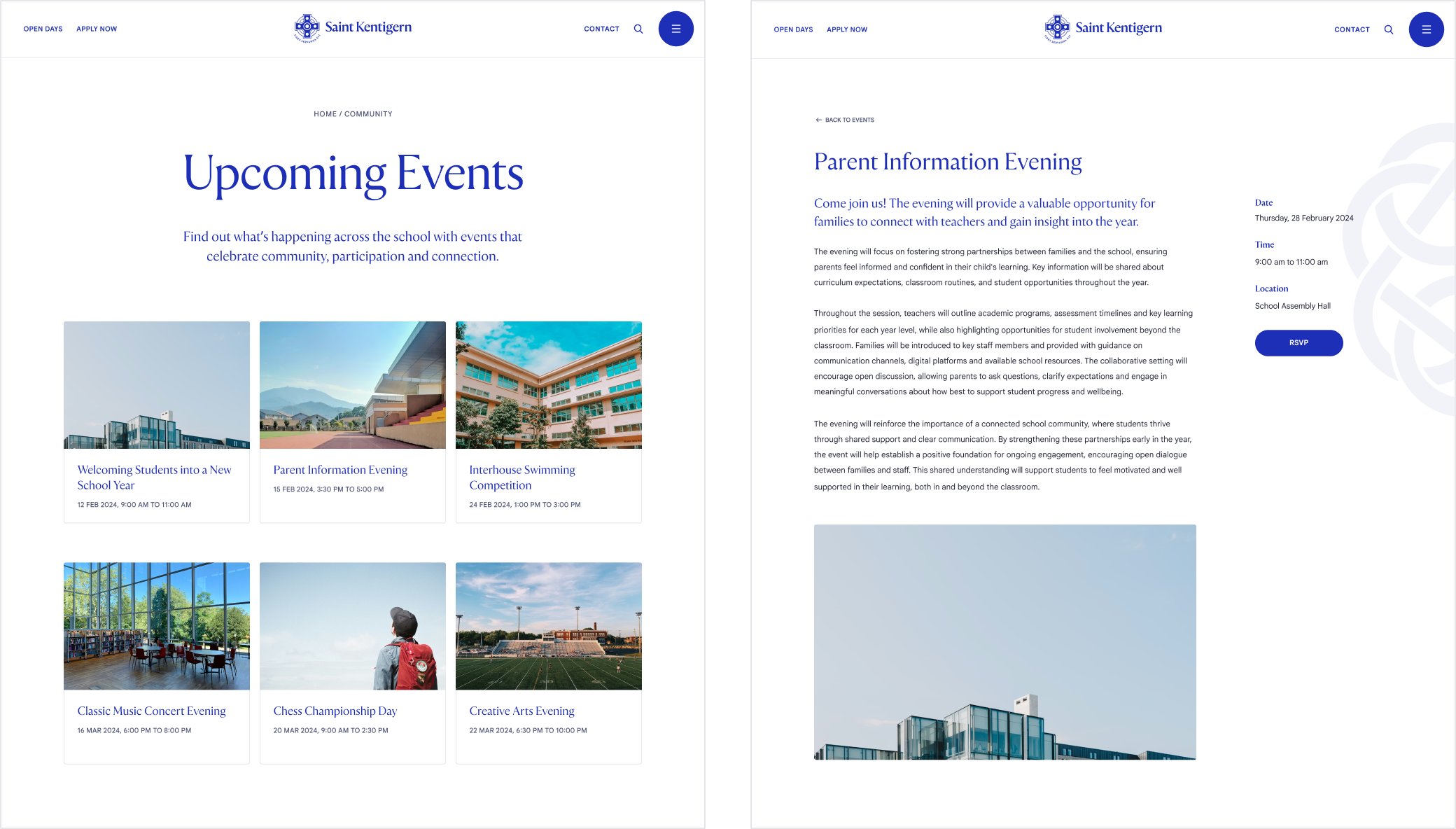
Listing pages were simplified to improve scanning and reduce visual noise. Optional imagery ensured schools without image libraries could still create polished experiences. For article, event detail, and newsletter edition pages, layouts were streamlined to prioritise content and make important information easier to find.
Validated through real projects
New templates were tested through active client projects before full rollout. This gave the team the opportunity to gather feedback in real contexts and refine patterns before broader adoption.
Created a single source of truth
Alongside the templates, I standardised naming conventions, page structures, and documentation across internal teams and client-facing resources to reduce ambiguity during sales, delivery and support while creating a shared reference point for future projects.
Impact
Reduced repetitive design and development work
The template system replaced one-off page builds, reducing design and development effort by up to 85% while improving consistency across projects.
Created alignment across teams
Shared standards and documentation gave internal teams a common reference point, reducing the ambiguity that had been showing up at every stage of delivery.
Improved quality by default
All templates were designed to meet accessibility requirements, support responsive experiences and integrate with each school's visual identity, increasing quality without additional effort.
Built a foundation that scales
The system accommodates schools with different needs and technical levels without requiring custom solutions for every project, making future delivery more consistent and easier to maintain.